Features
Program your USB passthrough in Luau, not firmware
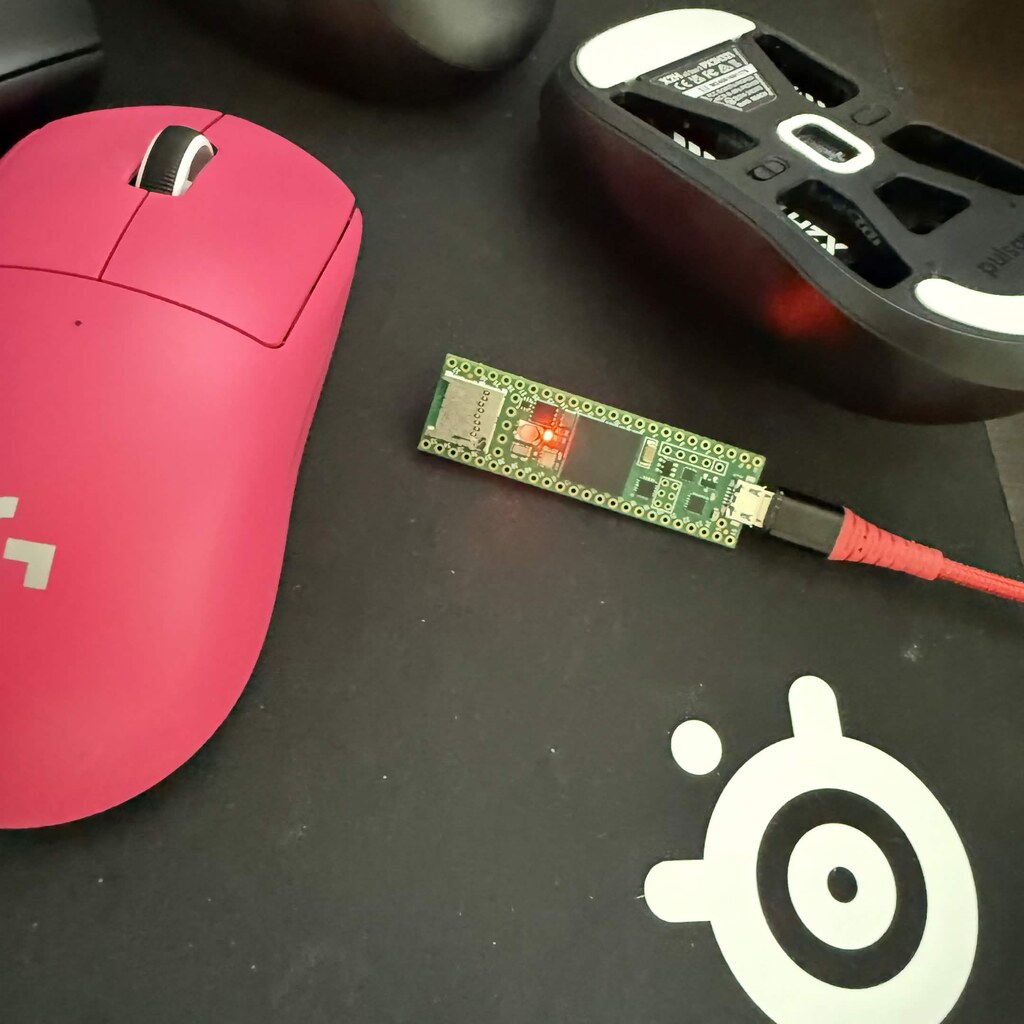
Your keyboard, mouse, and controller stay plugged into the computer. Rebind runs your Luau there and sends the result out of one USB device: a Rebind Link, or a Teensy 4.0 or 4.1 you flash from the app.
The usual fix is firmware
Build your own passthrough and you end up writing firmware. A Teensy can present as a USB keyboard, mouse, or joystick through Teensyduino, and a 32u4 or SAMD Arduino as a keyboard and mouse through its bundled Keyboard and Mouse libraries.
That works. The cost is the loop: edit C++, rebuild, reflash, test. And logic that needs the computer, such as which app has focus or a reply from an HTTP API, has no way to run on the board.
Move the logic to the computer
A passthrough has three parts: input in, your logic, USB reports out. Rebind keeps the first two on the computer and gives the third to a small USB device. Rebind Link ships flashed. Rebind BYOH is the same firmware and license for a Teensy 4.0 or 4.1 you supply.
In hardware mode you attach each keyboard, mouse, and controller in the app. Your scripts see their input, and the operating system receives the result from the Rebind device instead of the original. The device runs no scripts, so a script change is a save, not a flash.
The device takes the USB identity you give it: vendor and product IDs, manufacturer and product names, serial number, and which of keyboard, mouse, and joypad it presents, in what order.
Your mouse on the right stick
This script turns mouse movement into the joypad's right stick. It is trimmed from the controllers recipe in the docs, which also maps WASD to the left stick and clicks to the triggers.
--[[
  rebind: min_sdk=3.11.0
  rebind: name=Mouse to Stick
  rebind: version=1.0.0
  rebind: hardware_only=true
  rebind: mouse_block=true
  rebind: permissions=none
  rebind: tick_rate=125
]]

local GAIN = 0.35
local acc_x, acc_y = 0, 0

rb.on("move", function(dx, dy)
  acc_x += dx
  acc_y += dy
  return false
end)

rb.on("tick", function(dt_ms)
  if dt_ms <= 0 then
    return
  end
  rb.hid.axis("RightX", math.clamp(acc_x / dt_ms * GAIN, -1, 1))
  rb.hid.axis("RightY", math.clamp(acc_y / dt_ms * GAIN, -1, 1))
  acc_x, acc_y = 0, 0
end)

rb.bind("F10", function()
  rb.script.exit("F10 pressed")
end)
While it runs, the mouse is captured and the script holds the right stick. F10 stops it, and Left Ctrl + Left Alt + K (Left Control + Left Option + K on a Mac) stops every script.
RebindFree app / Windows and macOS / Luau. Hardware: View Rebind BYOH or View Rebind Link
Download Rebind freeBefore and after
| You want to | Firmware you write | Rebind, hardware mode |
|---|---|---|
| Change the logic | Rebuild and reflash | Save the file |
| Swap two controller buttons | Write the HID handling yourself | rb.bind.remap("PadA", "PadB") |
| Bind a key on one keyboard only | Track each device in your USB host code | rb.bind(key, fn, { device = "left" }) |
| Change the VID and PID | Edit the descriptor, rebuild | Flash identity in the app |
Set it up
- Download Rebind, free on Windows and macOS. Key scripts run in software mode right away.
- Get a device: Rebind Link ($140, ships flashed) or Rebind BYOH ($90, for your own Teensy 4.0 or 4.1).
- For BYOH, open Devices and press Flash firmware. For either device, activate with your code, then switch to hardware mode under Transport in Settings.
- For a controller or your own IDs, press Flash identity in Devices and check Joypad. An identity is paid once per device; restoring the default is free.
- Attach each keyboard, mouse, and controller in Peripherals, then run your script.
The other routes, fairly
- Your own firmware
- Fully yours, and the board is the only cost. Every change is a rebuild and a flash, and the logic sees only what the board sees.
- Software mode only
- Free, no device. Keys and buttons only: no mouse movement changes, no controllers, no per-device binds.
What it won't do
- Controllers and joypad output need hardware mode and a USB identity that includes a joypad. The default identity has none.
- The joypad is a standard HID gamepad, so games that read only XInput do not see it.
- Rumble, motion sensors, and touch position do not pass through.
- BYOH runs on the Teensy 4.0 and 4.1 only.
- On macOS in hardware mode, the built-in keyboard and trackpad do not reach scripts. Attach external devices.
Questions
Which controllers get named buttons?
Wired and dongle Xbox controllers, DualShock 3 and 4, DualSense, and Switch controllers get position names such as PadA. Others report Joy1 to Joy32 in their own order.
Is hardware mode a subscription?
No. A Rebind Link or BYOH is one payment, and activation is permanent. Rebind Pro is separate and covers the AI builder and Pro scripts.
Do I need the device to start?
No. Install the free app and write key scripts in software mode. Add the device when a script needs the mouse, a controller, or your own USB identity.
Write the logic. Let the board send it.
Install Rebind, write a script, and add a Link or your Teensy when you need hardware output.
Download Rebind free